If you’ve ever wandered through a multiplayer Minecraft server and spotted custom flags hanging outside player bases, or gotten lost in the nether because you forgot to mark your portal, you’ve likely wondered how to make a banner in Minecraft. These versatile decorative blocks work in both survival and creative mode, no fancy mods or paid add-ons required. They’re also far more functional than most new players realize, doubling as navigation markers and personalized decor for almost any build. This guide will walk you through every step of the process, from basic crafting to advanced custom pattern design, with tips for both survival and creative players.
How to Make a Banner in Minecraft: Basic Crafting Steps
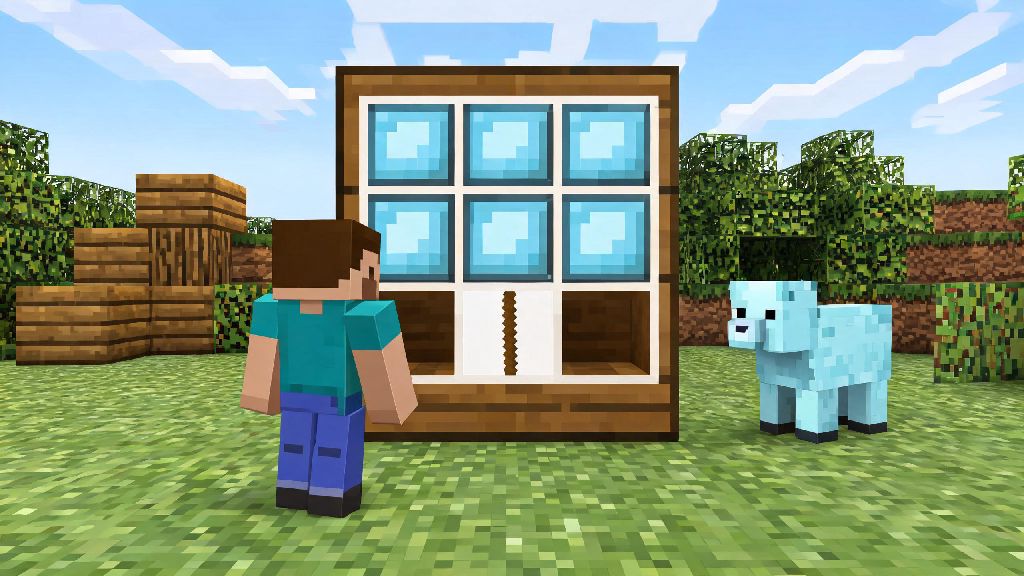
The base banner craft is surprisingly simple, even for brand new players who haven’t unlocked many recipes yet. All you need is 6 pieces of wool in the same color, and 1 wooden stick. You can get wool by shearing sheep with iron shears, which yields 1 to 3 wool per sheep without killing them, or by killing sheep, which only drops 1 wool per animal, so shearing is always the more efficient choice if you have access to iron. Always use wool of the exact same color for the base craft, or the recipe won’t register in your crafting table. To assemble, fill the top two rows of your 3x3 crafting grid with your chosen wool, then place the single stick in the middle slot of the bottom row. You’ll get one plain solid-color banner, ready to customize or use as-is for simple markers.
How to Add Custom Patterns to Your Banner
A plain banner works fine for basic navigation, but you can add up to 16 layers of custom patterns to make unique designs that match your style. You can add patterns directly on a crafting table, but a loom is a far better tool for the job, as it shows you previews of every possible pattern before you use your dye, so you don’t waste rare materials. To start making custom patterns, you’ll need a few core items:
To use the loom, place your base banner in the leftmost slot, your chosen dye in the right slot, and scroll through the menu of available patterns to see previews. If you’re using a special item for a unique pattern, place it in the middle slot between the banner and dye. You can remove your most recently added pattern for free by using a water bucket on the banner in the loom, so you don’t have to throw out an entire banner if you make a small mistake. I used to waste stacks of rare dye testing patterns on the crafting table before I switched to using a loom, and it cuts down on material waste by at least 70% in my experience.
Pro Survival Mode Banner Tips
If you’re playing survival, you don’t have infinite dye and wool to waste, so small hacks can save you hours of farming materials. First, plan your design ahead of time so you know exactly how much dye and how many special items you need before you start crafting. Banners are also one of the best navigation tools in the game for survival players, especially if you explore far from your main base. Banners render from up to 64 blocks away, which is twice as far as most other decorative blocks, so you can spot a marker banner long before you see your base’s blocks. You can also copy existing banners for no extra dye cost: just place your completed custom banner in a crafting grid next to a blank banner of the same base color, and you’ll get an exact copy of the original design. Copied banners keep all their pattern layers for no extra cost, so you can make dozens of matching team banners or perimeter markers without redoing your entire design. One important warning: banners are made of wool, so they burn almost instantly if placed near open lava or fire. If you’re hanging a banner near a nether portal, place it at least 3 blocks away from the portal’s flame particles to avoid accidental destruction.
Creative Mode Banner Ideas for Unique Builds
In creative mode, you have unlimited access to every dye and pattern, so you can go wild with designs that would be impossible to pull off in survival. You don’t just have to use banners as flags, either: they work as a huge range of decorative elements for almost any build. For example, you can hang thin horizontal banners above shop entrances as awnings, use patterned banners as tapestries on castle walls, or even lay them flat on tables as custom tablecloths for restaurant builds. You can place banners on walls, floors, and ceilings, so they work for almost any decorative use case you can think of. I once built a custom retro diner in creative mode and used red and white checkered banners as booth seat covers, and they looked far more detailed and realistic than regular wool blocks. You can also line up multiple banners side by side to make large custom murals, like server logos for spawn areas or custom movie posters for in-game theaters. There’s really no limit to what you can make once you start experimenting with different placements and patterns.
Now that you know how to make a banner in Minecraft, you can start experimenting with designs to make your builds feel more personal and functional. Don’t be afraid to test out weird pattern combinations, some of the coolest designs I’ve ever made came from accidental layers I didn’t expect to look good together. Whether you’re playing survival and need to mark your base so you don’t get lost, or building a full custom city in creative, banners are a versatile, low-effort tool you’ll come back to again and again. Next time you log into your world, grab some wool and a stick, and see what unique designs you can come up with.