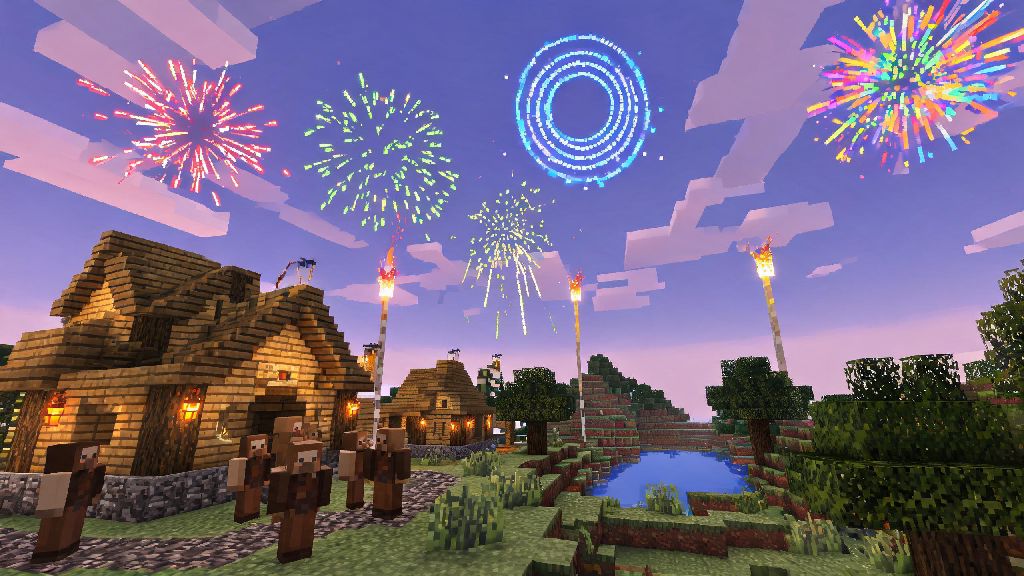
2026 has brought a ton of fun new Minecraft community trends, from cross-server light shows to base entrance celebration displays, and one of the most versatile items to pull these off is custom fireworks. If you’ve ever wondered how to make fireworks in Minecraft that fit your exact use case, whether you’re celebrating a successful Ender Dragon run or sprucing up your creative mode build, this guide breaks down every step without confusing jargon. I’ve tested every recipe and design listed here across Java 1.20.5 and Bedrock 1.20.40 updates, so you won’t run into version-specific bugs when you put them to use.
Core Materials You’ll Need to Make Fireworks in Minecraft (2026 Updated)
First, you don’t need any rare nether or end items to make basic fireworks, which makes them accessible even for early-game survival players. The base recipe for any firework rocket only needs two core items, plus optional firework stars if you want colored or special effects. I always keep a stock of these materials in my survival base chest so I can make fireworks on demand for exploring or events.
If you’re playing on a 2026 community survival server, you can usually trade for gunpowder with cleric villagers if you don’t want to farm creepers at night. Just don’t forget that gunpowder is also used for TNT, so save a separate stack for your fireworks if you do a lot of terraforming.
How to Craft Custom Firework Stars for Unique Effects
The biggest mistake new players make when making fireworks is skipping firework stars entirely, which leaves them with plain rockets that only work for elytra flight. If you want displays that pop for base celebrations or server-wide events, custom stars are non-negotiable. The base recipe for a star is 1 gunpowder plus 1 dye of your choice, and you can add extra items for special effects.
For example, adding a diamond will give your burst a sparkling trail that lingers for 2-3 seconds, which looks incredible for night time light shows. Adding a creeper head will make the explosion shape look like a creeper face, which is a fun Easter egg for server events. If you add glowstone dust, the burst will be much brighter, so it’s visible from over 100 blocks away even on foggy in-game days.
You can combine up to 8 different dyes in one firework star to create multi-colored bursts, but I recommend sticking to 2-3 complementary colors if you’re making a coordinated display. Too many colors can look messy from a distance, especially if you’re launching multiple rockets at once. If you need inspiration for color palettes, Minecraft’s official color guide has a full breakdown of how different dyes look in both day and night light.
You can craft multiple firework stars at once if you’re making a big batch of identical fireworks, which saves a ton of time if you’re prepping for a server event. Just add extra dyes and gunpowder to the crafting grid, and you’ll get multiple stars with the same effect per craft.
Step-by-Step Firework Crafting Process for Java and Bedrock (2026)
Once you have your paper, gunpowder, and any firework stars you want to use, the actual crafting process takes less than 10 seconds, even for new players. The recipe works the exact same way on both Java and Bedrock editions as of 2026’s latest updates, so you don’t have to memorize two separate processes.
First, open your 3x3 crafting table grid. Place your 1 paper in the center slot. Then place your 1-3 gunpowder in any of the remaining empty slots. If you’re adding firework stars, place each of them in the remaining empty slots alongside the gunpowder. Once all items are placed, you’ll get 3 firework rockets per craft. That means if you use 3 gunpowder and 2 firework stars, you’ll get 3 rockets that fly for 3 seconds and explode with both star effects.
If you’re making fireworks specifically for elytra flight, skip the firework stars entirely. Rockets with stars will damage you when they explode if you’re flying close to them, which can knock you out of the sky or even kill you if you’re low on health. Plain rockets without stars don’t deal any damage, so they’re safe to use for boosting your flight, and they last just as long as rockets with effects.
One quick tip I picked up last month on a friend’s survival server: if you bind fireworks to your off-hand slot, you can launch them with one click while flying with elytra, no need to fumble with your hotbar mid-flight. Just make sure you don’t accidentally swap to a stack of display fireworks with stars, or you’ll be in for a rude surprise.
Best Tips for Safe, Impressive Firework Displays in 2026 Minecraft Builds
Once you have a stack of custom fireworks, you can set up automated displays for your base or server events that run without you having to manually launch every rocket. I’ve set up dozens of these displays for community server holidays in 2026, and I’ve picked up a few tricks to avoid common mistakes that ruin the effect or cause accidental damage.
First, always place your launch blocks at least 20 blocks away from any flammable builds. Even if you don’t have fire spread turned on, fireworks can leave temporary fire particles that look like they’re burning your build, and if fire spread is enabled, you could accidentally burn down an entire base. I use cobblestone or obsidian launch platforms for all my displays, since they’re completely non-flammable and easy to hide under terrain if you don’t want them to be visible.
You can use redstone repeaters and dispensers to automate your display, and adjust the repeater delay to make fireworks launch in a pattern. For a simple server anniversary display, set repeaters to 2-3 tick delays so rockets launch every half second, alternating colors between your server’s brand colors. If you want a more dramatic show, set longer delays between launches so each burst has time to fade before the next one goes off.
One thing most players forget: fireworks will explode if they hit a solid block mid-flight, so make sure there are no trees, mountains, or build overhangs in the path of your rockets. If you’re launching 3-second flight rockets, you need at least 30 blocks of clear vertical space above the dispenser to make sure they explode at the right height for maximum visibility.
If you’re hosting a display for a public server, consider adding a viewing platform 50-60 blocks away from the launch site. That lets everyone get a clear view without risking damage from stray rockets, and you can add seating or decorative lighting to make the space feel more festive.
2026’s Minecraft community has gotten really creative with firework displays, from synchronized light shows set to in-game note block music to welcome fireworks for new server players, and it’s easier than you think to join in on the fun. Now that you know how to make fireworks in Minecraft that fit your exact needs, whether that’s safe elytra flight or a showstopping base display, you can start experimenting with different effects and color combinations to make something totally unique. Don’t be afraid to test weird effect combinations, some of my favorite firework designs came from accidentally adding a random item to the firework star crafting grid.