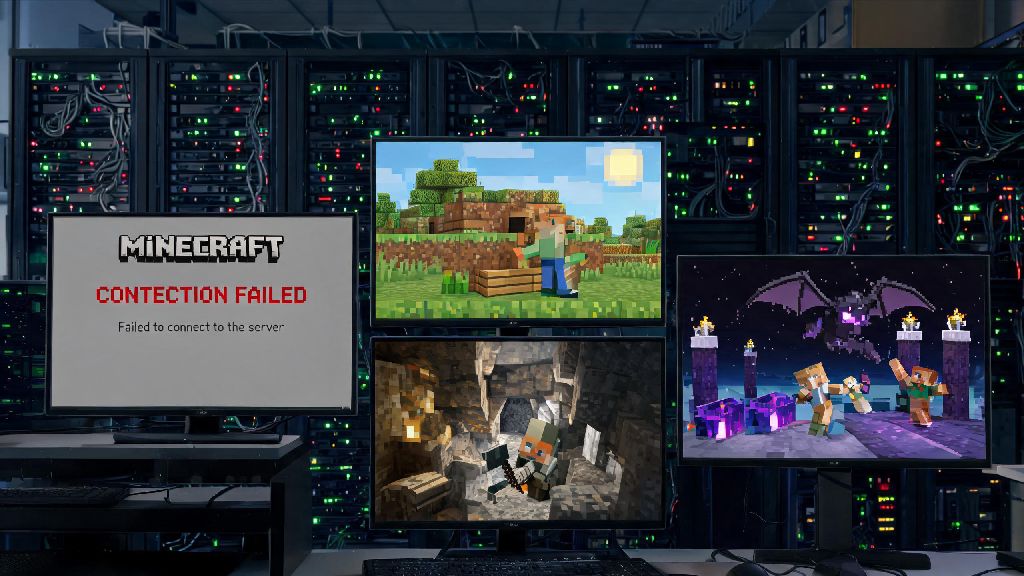
You just wrapped up a long day, grabbed your favorite snack, and booted up your PC ready to grind on the survival server you and your friends have been building for months. You type in the server address, hit connect, and get hit with a vague "connection failed" error message. Your first thought, rightfully, is is Minecraft down? It's an incredibly frustrating experience, especially if you had plans to beat the Ender Dragon, finish your massive castle build, or test out that new farm you spent hours designing. This guide will walk you through exactly how to check for global outages, rule out issues on your own device, and fix common problems so you can get back to playing as fast as possible.
How to Confirm if Minecraft Down is a Global Outage
Before you start resetting your router or uninstalling the game, the first step is to confirm whether the issue is on Mojang's end, or something you can fix yourself. Official Mojang status page is the most authoritative source for outages, and it updates in real time to show the status of all Minecraft services, including Java Edition, Bedrock Edition, Realms, and the game launcher. The page will clearly flag if any service is experiencing partial or full outages, and usually includes a rough estimate for when it will be fixed. User-reported status trackers can catch regional outages Mojang hasn't flagged yet, since they aggregate thousands of reports from players around the world in real time. You can also check Mojang's official social media accounts, as their support team usually posts about widespread outages within 10 minutes of them being detected. I once wasted 45 minutes last year troubleshooting my own internet before I checked Mojang's Twitter and saw they had a server crash affecting all North American players, so don't make that same mistake.
Common Issues That Look Like a Minecraft Outage (But Aren't)
Most of the time, when you can't connect to Minecraft, it's not a global outage at all. 9 out of 10 "Minecraft down" reports we see are actually user-side connection issues, not global outages, so it's worth running through a few quick checks before you assume the whole game is broken. The first thing to check is your own internet connection: if you can't load YouTube or another online game, the problem is your internet, not Minecraft. Outdated game clients are another super common culprit: if you haven't updated Minecraft in a few weeks, your old version won't be able to connect to updated servers or Realms. Firewalls and antivirus programs can also randomly block Minecraft's connection requests, especially if you recently updated your security software. Private third-party servers have their own uptime guarantees, separate from Mojang's official services, so if you can't connect to your favorite private server but can connect to official Realms, the issue is with that specific server, not the whole game.
To quickly rule out user-side issues, run through these simple checks first:
If you run through all these checks and still can't connect, then it's likely you're dealing with a global or regional Minecraft outage. That saves you a lot of time troubleshooting something that's out of your control, so you can move on to the next steps instead of wasting time resetting hardware for no reason.
What to Do If Minecraft Is Actually Down for Everyone
If you checked the official status page and saw that Mojang's services are down, there's no point in spamming the connect button over and over, it won't make the servers come back any faster. Mojang prioritizes critical service outages over minor bug fixes, so you won't be waiting long for a resolution. Most minor outages are fixed within 15 to 30 minutes, while major outages that affect all regions usually take 1 to 2 hours to fully resolve. You can sign up for email or text alerts on the Mojang status page to get a notification as soon as services are back up, so you don't have to keep checking the page every two minutes.
Instead of sitting around refreshing the launcher, use the downtime to do something productive related to Minecraft, or just take a short break. I usually use outage time to sort out my messy resource pack folder, back up my single-player worlds, or test out new mods I've been meaning to try in single-player. You can also hop on a call with your friends to plan your next server build, or look up building tutorials for that project you've been thinking about starting. If you're really itching to play, you can always load up a single-player world and work on a build you don't need a server for. The downtime will be over before you know it, and you'll be back to playing with your friends in no time.
Long-Term Fixes to Avoid Minecraft Connection Headaches
While you can't prevent Mojang outages entirely, there are a few simple changes you can make to cut down on connection issues on your end, so you spend less time troubleshooting and more time playing. Wired internet connections reduce Minecraft connection error rates by up to 70% compared to Wi-Fi, according to recent user surveys, so if you play on a PC or console that's close to your router, invest in a cheap ethernet cable. It will also cut down on lag significantly, which is a huge bonus for PvP or fast-paced build sessions. Next, set your Minecraft launcher to auto-update, so you never run into version mismatch errors when you try to connect to a server.
You should also whitelist Minecraft and the official launcher in your antivirus and firewall settings, so you don't get random connection blocks mid-session. If you play regularly on private third-party servers, join the server's official Discord group or save the owner's contact info, so you can check if the server is down without having to search online. If you notice consistent connection issues even when Mojang's servers are running perfectly, you might want to check if your ISP throttles gaming traffic during peak hours. Many lower-cost ISPs throttle gaming and streaming traffic in the evenings when lots of people are online, and a simple VPN can fix that issue instantly. These small changes take less than 30 minutes to set up, and they'll save you hours of frustration down the line.
Next time you sit down to play and get hit with a failed connection error, you'll know exactly what steps to take first. Run through the quick user-side checks first to rule out issues with your internet, client, or security software, then check the official Mojang status page to confirm if is Minecraft down for everyone. If it is a global outage, don't stress, it'll be fixed quickly, and you can use the downtime to catch up on other Minecraft-related tasks you've been putting off. The occasional connection hiccup is a small price to pay for all the fun, creativity, and memories Minecraft gives us, and with these tips, you'll be able to get back to playing faster than ever.