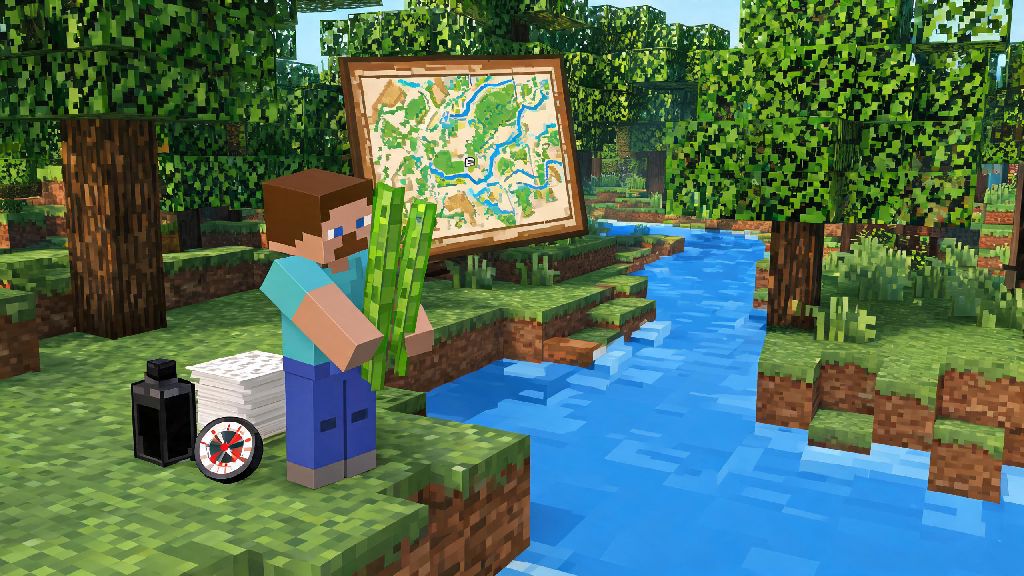
If you’ve ever gotten lost trekking through a dark oak forest after a 3-hour mining run, or forgotten where you hid your diamond stash in a 10,000-block creative world, you’ve probably asked: how do i make a map in Minecraft? 2026’s latest game updates haven’t changed the core recipe for basic maps, but they have added a few new customization options you might not have seen if you took a break from the game last year. This guide walks you through every step, from gathering materials to upgrading your map so it tracks your location and marks key points of interest. You don’t need any rare items to get started, just a little patience and a trip to the nearest riverbank for sugar cane.
Core Materials You Need When You Ask How Do I Make a Map in Minecraft
The materials you’ll need depend on what type of map you want to make, but most players will want to start with a locator map that shows your current position as you move. Basic maps that don’t track location only work if you already know exactly where you are relative to the area you mapped, so they’re rarely useful for survival mode. All map recipes require a 3x3 crafting table, so you won’t be able to make one with your inventory’s 2x2 grid.
Here’s the full list of items you’ll need for any type of map:
Sugar cane only grows next to water, so check riverbanks, ocean edges, and swamp biomes if you don’t have a farm set up already. Compass materials are easy to find too: iron ingots come from smelting iron ore you find at Y-level 16 and below, and redstone spawns at Y-level -58 and lower in 2026’s current world generation settings.
Step-by-Step Crafting Process for Your First Map
First, turn your sugar cane into paper. Put 3 sugar cane in a horizontal row in your crafting grid to get 3 pieces of paper, and repeat until you have enough for the map type you want. For a basic non-locating map, fill all 9 slots of your crafting grid with paper to get 1 empty map. For a locator map (the option most players prefer), put your compass in the center slot of the grid, and fill the 8 surrounding slots with paper.
Once you have your empty map in your inventory, hold it in your main hand and right-click (or press the “use item” button on console or mobile) to activate it. The map will start drawing the area immediately around you, centered on the exact spot you’re standing when you activate it. Activate your map immediately at your base or spawn point if you’re making your first survival map, so you don’t end up with a map that doesn’t cover the area you care about most.
The 2026 Minecraft update added a small progress bar at the bottom of your screen while the map renders, so you don’t have to guess when it’s done. You’ll need to walk around the edges of the map area to fill in all the terrain details, but the initial render will show you the closest biomes and structures within a 128x128 block area for the smallest map size. If you activate the map underground, it will only draw the underground layer first, so it’s always best to activate it on the surface at eye level for the most useful initial view.
How to Upgrade and Customize Your Map for 2026 Gameplay
The smallest map size only covers a 128x128 block area, which is barely big enough to fit a medium-sized base and its surrounding farms. You can upgrade the map to cover 4x more area each time you add paper to it, up to a maximum size of 2048x2048 blocks. To upgrade, put your existing activated map in the center of your crafting grid, and surround it with 8 pieces of paper. You can repeat this process up to 4 times to get the largest possible map size.
Smaller maps are great for marking out build plots or small base areas, since you can see individual blocks and small structures clearly. Larger maps are better for long exploration trips, but you lose fine detail, so small bases or hidden chests might not show up at all on the maximum size. 2026’s new zoom feature lets you tap a button to toggle between the full map view and a zoomed-in section of the area you’re currently in, so you don’t have to carry multiple map sizes anymore if you don’t want to.
You can add custom markers to your map using banners, which is perfect for marking loot stashes, dangerous mob spawners, or hidden villages. Place a banner in the spot you want to mark, then right-click the banner with your activated map, and a custom icon matching the banner’s color will show up on your map permanently, even if you break the banner later. Custom banner markers are color-coded, so you can use red for danger zones, blue for ocean monuments, green for crop farms, and any other color code that works for you. If you’re playing on a multiplayer server, you can copy a fully rendered map by putting it next to an empty map in a crafting grid, so you can share your exploration progress with all your friends.
Common Map Mistakes to Avoid in 2026
Even if you follow the crafting steps perfectly, it’s easy to make small mistakes that make your map far less useful. The most common mistake new players make is activating their first map too far from their base, so their spawn point ends up outside the map’s initial area. If you do this, you’ll have to make a second map to cover your base, or spend a lot of time walking back to find where your base is relative to the first map’s area. Always activate your first map right next to your bed or main base entrance to avoid this.
Another common mistake is using basic non-locator maps in survival mode. These maps don’t show your position as a small white dot, so you can easily get lost even if you have a full map of the area. The compass only costs 4 iron ingots and 1 redstone, which is a tiny investment for the convenience of knowing exactly where you are at all times.
If you spend hours rendering a full map of your favorite exploration area, don’t forget to lock it once you’re done. 2026 added a new lock feature that lets you use a glass pane in a cartography table to lock the map, so the terrain won’t update even if you dig out a quarry or build a huge castle in the area later. Lock your finished maps if you want to keep a record of what your world looked like before you started big build projects, or if you want to make copies for friends that won’t change as you edit the world. You can’t edit a locked map, so make sure you’ve filled in all the areas you want to keep before you lock it.
Whether you’re playing a casual survival world with friends or building a massive custom city in creative mode, knowing how do i make a map in Minecraft is one of the most useful basic skills you can learn in 2026. You don’t need any fancy mods or expensive materials to make a functional map, and a few small upgrades can turn it into a powerful tool to track all your best builds, loot stashes, and exploration routes. Next time you head out on a long adventure to find a nether fortress or a jungle temple, don’t forget to pack an extra empty map and a stack of paper to upgrade it as you go, and you’ll never have to wander for hours trying to find your way back to base again.