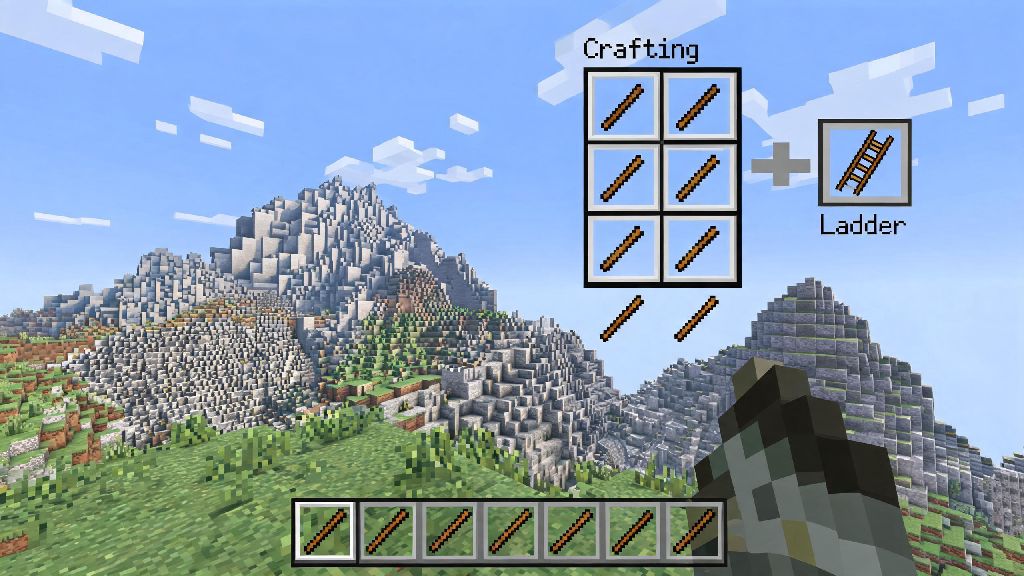
If you’ve ever found yourself stuck halfway up a jagged mountain with an inventory full of coal and no safe way down, you know how frustrating it is to lose all your loot to avoidable fall damage. Most new players skip learning basic crafting recipes until they need them, but knowing how to make a ladder in Minecraft PC is one of the most useful early-game skills you can pick up. Ladders aren’t just for climbing, either. You can use them for hidden base entrances, fall damage negation, underwater air pockets, even simple elevator shafts without any fancy redstone. It takes less than 30 seconds to craft a full stack, and it’ll save you hours of frustration down the line.
Materials You Need to Craft a Ladder in Minecraft PC
One of the best parts about ladders is that they only require one basic material, no rare drops or hard-to-find resources required. All you need to make a batch of ladders is 7 sticks. You don’t need any specific type of wood to make the sticks, either; oak, spruce, birch, jungle, acacia, dark oak, even mangrove or bamboo planks all work exactly the same, and the final ladder will look identical no matter what wood you use. You only need 2 wood planks total to make enough sticks for one batch of ladders, so even if you just punched a single tree on your first spawn, you have enough materials to make them.
If you don’t have sticks already, you can make them by placing two wood planks vertically in your 2x2 personal inventory grid. That craft gives you 4 sticks, so you’ll need to make two batches of sticks to get the 7 required for ladders. You don’t need any tools to make sticks or ladders, so you can craft them as soon as you spawn if you want. It’s a good idea to keep a stack of sticks in your inventory at all times, so you can make ladders on the fly when you run into a tall cliff or deep cave you want to explore.
Step-by-Step Ladder Crafting Process for PC Players
First, you need to have a crafting table to make ladders, since they require a 3x3 crafting grid that you can’t access in your personal inventory. If you don’t have a crafting table yet, make one with 4 wood planks filling all four slots of your 2x2 inventory grid, place it on the ground, and you’re ready to go. Right-click the crafting table on your PC to open the 3x3 grid, as you can’t craft ladders in your 2x2 personal inventory.
Once your crafting grid is open, arrange your 7 sticks in the following pattern: fill the entire left and middle columns of the grid with sticks, except for the top-left slot. That means you’ll have sticks in the middle-left, bottom-left, top-middle, middle-middle, bottom-middle, top-right, and middle-right slots. If you don’t want to arrange them manually, you can use the recipe book on the left side of your crafting screen on PC: just click the ladder icon once you have enough sticks, and the grid will auto-fill for you.
Once the pattern is correct, 3 ladders will appear in the result slot on the right side of the crafting screen. Each craft gives you 3 ladders, so plan accordingly if you’re building a tall climb up a mountain or base. You can shift-click the ladders to move the entire stack directly to your inventory, which is a handy PC shortcut that saves you time dragging items around. If you need a full stack of 64 ladders, you’ll need to run the craft 22 times total, which only takes a few seconds if you have enough sticks saved up.
Pro Tips for Placing and Using Ladders in Your PC Worlds
Crafting ladders is the easy part, but there are a ton of little-known tricks for using them that make them way more useful than just basic climbing tools. First, remember that ladders only attach to full, solid blocks. You can’t place them on slabs, stairs, glass panes, leaves, or any other non-full block, so make sure you have a solid surface to attach them to before you start climbing. You can place ladders on the side, top, or bottom of a full block, depending on what you need them for.
Here are some of our favorite ladder hacks for PC players:
PC players have a few exclusive control shortcuts for ladders that make them even easier to use. Holding left shift while on a ladder locks you in place, making it safe to build or mine adjacent blocks without falling. That’s perfect if you’re building a tall structure and need to stop to place blocks or mine away extra stone as you climb. Ladders don’t block water flow, so you can use them to create air pockets in underwater bases or mine shafts. Just place a ladder on the wall of an underwater tunnel, and you’ll have a small air block to refill your breath without having to swim all the way back to the surface.
Common Ladder Crafting and Placement Mistakes to Avoid
Even though ladders are one of the simplest items to craft in Minecraft, there are a few common mistakes that new PC players make all the time. The most frequent one is trying to craft ladders in their 2x2 personal inventory instead of using a crafting table. Since ladders require a 3x3 grid, the recipe won’t show up in your personal inventory, so you’ll just waste time clicking around trying to make them work. Always head to a crafting table first if you need ladders.
Another common mistake is placing ladders on non-solid blocks, like we mentioned earlier. If you’re trying to place a ladder and it won’t stick, check if the block you’re placing it on is a full, solid block. Slabs and stairs are the most common culprits here, since a lot of players use them for base builds and forget they don’t count as full blocks for ladder placement. If you really need to place a ladder next to a slab, just place a full cobblestone or wood block behind the slab first, attach the ladder to that, and you’re good to go.
PC players also often accidentally break adjacent blocks when placing ladders high up, since they have a tool equipped in their hand when they right-click to place the ladder. Always switch to an empty hand when placing ladders high up to avoid accidentally breaking adjacent blocks with your equipped tool. That’s an easy way to avoid ruining a build you spent hours on, or breaking a block that’s holding up a structure above you. Finally, don’t forget that ladders can be broken with any tool, but axes are the fastest if you place one in the wrong spot and need to move it quickly.
Now that you know how to make a ladder in Minecraft PC, you can stop taking unnecessary fall damage, build taller bases, and create all sorts of fun hidden features in your world. It’s one of the simplest crafting recipes in the game, but it’s surprisingly versatile, so don’t sleep on keeping a stack of ladders in your hotbar at all times. I always keep a stack in my 4th hotbar slot for when I’m out exploring, and it’s saved me from losing all my diamonds to a random fall more times than I can count. Next time you’re heading out on a mining trip or a mountain climb, throw a few ladders in your inventory first, you won’t regret it.