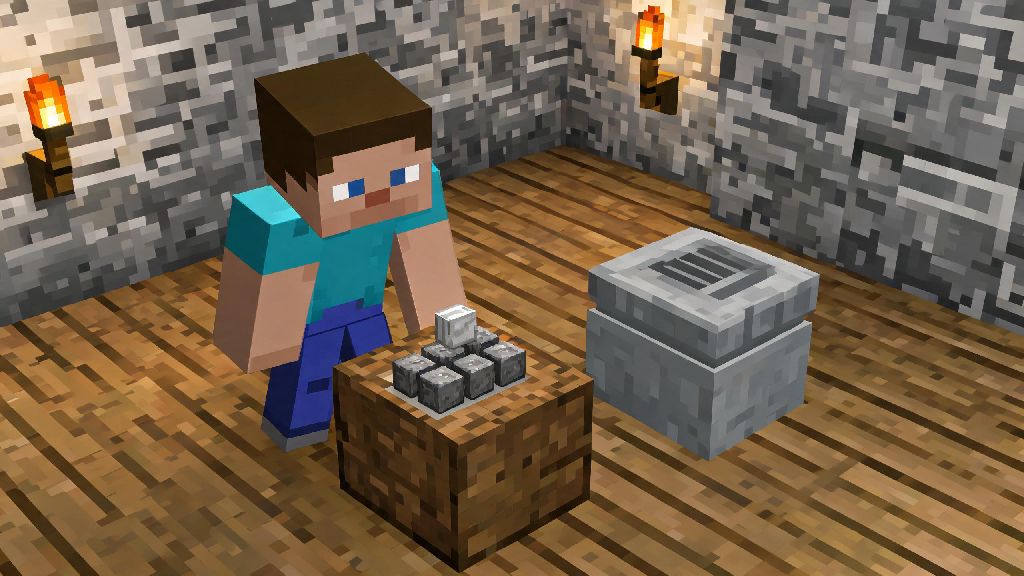
If you’ve ever spent 20 minutes fumbling through your crafting table menu trying to make 48 polished granite steps for your new mountain base, you know how tedious block crafting can get. The stonecutter cuts that work down to a fraction of the time, letting you skip extra crafting steps and get straight to building. We’ve put together this simple walkthrough to show you how to make a stonecutter in Minecraft, plus all the little tricks most new players miss to get the most out of this underrated tool. We’ve tested every step across both Java and Bedrock editions, so you don’t have to worry about version-specific bugs ruining your build plans.
What You Need to Make a Stonecutter in Minecraft
The best part about this tool is that you don’t need rare, endgame materials to craft it. You can put one together within your first hour of a new survival playthrough, as long as you can mine iron and cobblestone. The full materials list is short and easy to source, even for total new players:
That’s it! You don’t need diamonds, netherite, or any rare enchanted items to make this tool, which is why we recommend crafting one as soon as you get your first iron ingot in survival mode. I used to skip making a stonecutter for my first few playthroughs because I thought it was a waste of iron, but I now craft one before I even make an iron pickaxe half the time. The time saved on building is worth far more than the single ingot you use to make it.
Step-by-Step Crafting Process for Your Stonecutter
The actual crafting process takes less than 10 seconds once you have all your materials gathered. There’s no complicated pattern to memorize, and it works the same across every Minecraft edition. First, open your placed crafting table to pull up the 3x3 grid. If you’re using your personal 2x2 inventory grid, this won’t work, so make sure you’re interacting with a placed crafting table, not your personal inventory.
Next, place your 3 smooth stone blocks in the entire bottom row of the crafting grid. One block goes in each of the three bottom slots, no gaps, no extra blocks in other rows. Put your single iron ingot in the exact center slot of the 3x3 grid, and leave all other slots completely empty. You’ll see the stonecutter icon pop up in the result slot to the right of the grid. Click it to move it to your inventory, and you’re done.
If you don’t see the stonecutter appear, double check that you used smooth stone, not regular stone or cobblestone. This is the most common mistake players make, especially if they’re used to crafting other stone-based items that use regular cobblestone. Once your stonecutter is crafted, you can place it anywhere in your base just like a crafting table or furnace. It doesn’t require any fuel to run, so you don’t have to stock up on coal or wood to use it.
Pro Tips for Using Your Stonecutter Effectively
Making the stonecutter is only half the battle. Using it the right way can save you hours of time and stacks of building materials over the course of a playthrough. First, place it right next to your crafting table and furnace in your base so you don’t have to run across your base every time you need to cut blocks. I keep mine on the other side of my furnace stack, so I can smelt stone, pull it out, and cut it immediately without extra steps.
The stonecutter only works on stone-type blocks, but that covers far more items than most players realize. You can use it for cobblestone, stone, granite, diorite, andesite, sandstone, quartz, netherrack, blackstone, and even deepslate blocks. It can make stairs, slabs, walls, polished variants, chiseled variants, and more, all in one step, no extra crafting required.
It also cuts down on wasted materials. For example, if you make stairs in a crafting table, you use 6 blocks to make 4 stairs. If you use a stonecutter, 1 block makes 1 stair, so you get 6 stairs for 6 blocks instead of 4. That’s a 50% material saving, which adds up fast when you’re building a large castle or long pathway. You can use the stonecutter in creative mode to quickly find the exact block variant you want, instead of scrolling through pages of the creative inventory. Just put the base block in the stonecutter, and all possible variants will pop up in the menu, so you can pick exactly what you need in two clicks. I once spent 10 minutes scrolling through creative inventory looking for chiseled deepslate before I remembered I could just pop a deepslate block in the stonecutter and get it immediately. It’s a game changer for creative builds too, not just survival.
The only real downside of the stonecutter is that it only works on stone-type blocks, so you’ll still need your crafting table for wood, glass, and other building materials. But that’s a small tradeoff for the time it saves on stone builds.
Common Stonecutter Mistakes to Avoid
Even though the stonecutter is a simple tool, there are a few common mistakes that can waste your time or materials. First, don’t try to use it for blocks it doesn’t support. A lot of new players try to put wood, terracotta, or wool in it, and it won’t work. Stick to stone-based blocks, and you’ll be fine. If you’re not sure if a block works, just pop it in the input slot, if no options pop up, it’s not compatible.
Don’t break your stonecutter with your fist if you want to move it. You’ll need to use a pickaxe, otherwise it won’t drop as an item, and you’ll have to craft a new one. It only takes a second to break with even a stone pickaxe, so don’t waste your time punching it. The stonecutter doesn’t take any damage from use, so you’ll never have to repair it or craft a new one unless you lose it or break it without a pickaxe.
Don’t ignore it for small builds. A lot of players think it’s only worth using for large projects, but even if you just need 4 slabs for a small roof over your door, it’s faster to use the stonecutter than mess with the crafting table recipe. Don’t forget you can turn higher tier variants into other variants without going back to the base block. For example, you can turn polished granite into polished granite stairs directly, no need to turn it back to regular granite first. If you’re playing on a multiplayer server, you can share a single stonecutter with all your base mates, no need for everyone to craft their own. It’s a shared tool that never wears out, so it’s a great addition to any community base.
Once you know how to make a stonecutter in Minecraft, you’ll wonder how you ever played without it. It’s one of the most useful, low-effort tools in the game, perfect for both new players just learning the crafting system and veteran builders working on massive projects. Take 2 minutes to craft one the next time you start a new playthrough, and you’ll save hours of frustrating menu navigation and wasted building materials down the line. If you have a favorite trick for using your stonecutter we didn’t mention, feel free to share it in the comments below.