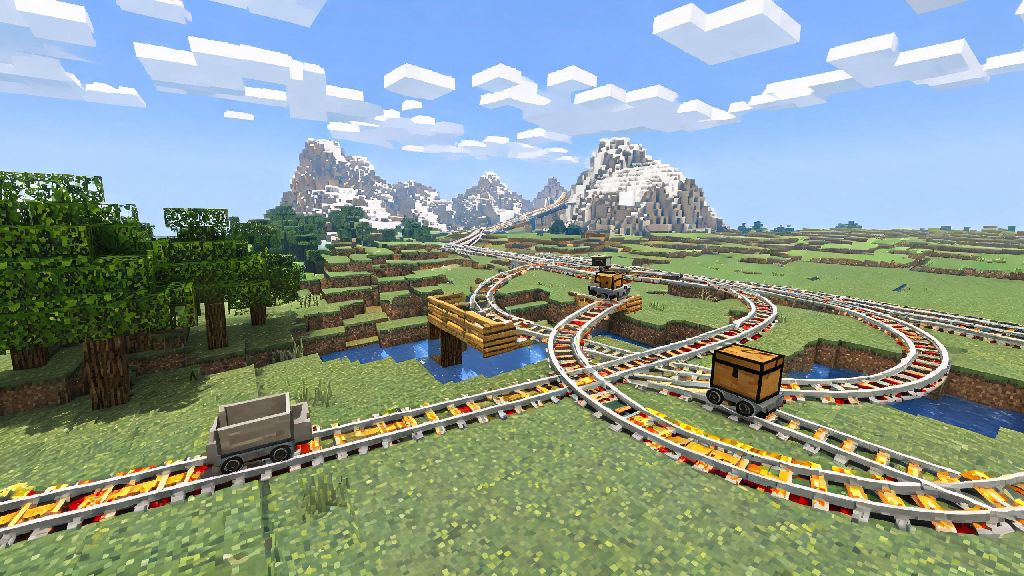
If you’re playing Minecraft in 2026, you’ve probably got big plans for your world, whether that’s a sprawling survival base, a themed creative park, or a connected network of resource farms. Trudging back and forth across thousands of blocks to move items, mobs, or yourself gets old fast, and elytra aren’t always practical for short trips or heavy cargo runs. That’s why learning how to make rails in Minecraft is one of the most useful mid-game skills every player should master, no matter your preferred playstyle. I’ve been building rail networks in Minecraft for over 15 years, including a 12,000-block cross-world survival line last year, so I’ve got all the recipes, tricks, and troubleshooting tips you need to build functional, efficient tracks.
How to Make Rails in Minecraft: Basic Rail Recipe for 2026 Game Versions
The standard, unpowered rail is the foundation of every transport network, and its recipe hasn’t changed in the latest 2026 vanilla updates, though some modded servers may tweak crafting requirements for balance. To make 16 basic rails, you’ll need 6 iron ingots, 1 stick, and access to a crafting table. Arrange the 6 iron ingots in the left and right columns of the 3x3 crafting grid, place the stick in the exact center slot, and you’ll get 16 rails to place on any solid, full block.
Iron ingots are the biggest resource cost for basic rails, so if you’re planning a large network in survival mode, make sure you have a working iron farm up and running before you start crafting. You can also find basic rails spawned naturally in abandoned mineshafts, strongholds, and woodland mansions, but looting is rarely reliable enough for more than a short, temporary track. If you’re playing on a peaceful mode world, you won’t have to worry about cave spiders or creepers interrupting your mineshaft looting runs, but crafting is still faster for large projects.
It’s easy to mix up rail recipes if you’re crafting in a hurry, so double check your grid before you click to avoid wasting resources. I once accidentally used 6 gold ingots instead of iron for a batch of basic rails, and lost enough gold to make 24 powered rails that I’d been saving for a hill climb section of my network. Save yourself that frustration by keeping your iron and gold in separate inventory slots when you’re crafting rails in bulk.
4 Specialized Rail Types and Their Crafting Recipes
Basic rails only work if you’re pushing a minecart manually or using a powered minecart, which is not practical for long distances. The 2026 vanilla version of Minecraft has three other specialized rail types that add functionality to your network, each with its own unique crafting recipe. You’ll use a mix of these types for almost every functional rail line you build, so it’s worth memorizing their recipes early on.
Powered rails are the most common specialized type, used to push minecarts along tracks without manual input. To make 6 powered rails, you’ll need 6 gold ingots, 1 stick, and 1 redstone dust, arranged the same way as basic rails with redstone dust in the bottom center slot. Powered rails only work if they receive a redstone signal from a torch, lever, pressure plate, or other redstone component; unpowered powered rails will stop a moving minecart instantly, making them useful for brake points at stations.
Detector rails emit a redstone signal when a minecart passes over them, making them perfect for automated systems. To make 6 detector rails, swap the stick in the basic rail recipe for a stone pressure plate, and add 1 redstone dust to the bottom center slot. You can use detector rails to trigger powered rail sections, open base doors, turn on lighting for underground tunnels, or even send a redstone signal to an item sorter when a storage minecart arrives at a station. If you’re running a public multiplayer server and want to test large automated rail networks without grinding for resources, you can use 2026’s best budget Minecraft server hosting with creative mode enabled to pre-build and test your designs before deploying them to your main survival world.
Activator rails are the least commonly used, but they have very specific useful functions. To make 6 activator rails, swap the redstone dust in the powered rail recipe for a redstone torch. When powered, activator rails will eject any player or mob from a minecart passing over them, activate TNT minecarts, or disable command block minecarts. They’re perfect for building automatic unloading stations at your base, so you don’t have to manually exit your minecart every time you get home.
Most new players make avoidable mistakes when first crafting specialized rails, so keep these common pitfalls in mind:
Pro Tips for Efficient Rail Building in 2026 Minecraft Worlds
Once you have all your rails crafted, the way you place and arrange them will make a huge difference in how well your network works. These are tips I’ve picked up from years of building rails in both single player and multiplayer worlds, and they’ll save you a ton of time and resources as you expand your network.
Always place a powered rail every 38 blocks for flat, unobstructed tracks to keep your minecart moving at top speed. If you’re building an uphill track, you’ll need a powered rail every 2 blocks to keep the cart moving upward, so plan your resource budget accordingly if your world has lots of hilly terrain. If you’re building a downhill track, you can get away with far fewer powered rails, since gravity will help speed the cart up on its own.
Use detector rails at entry and exit points of your base to automate small quality of life features. I have detector rails at the entrance to my main base that turn on the exterior lights, open the garage door for my minecart, and trigger a note block chime to let me know I’m home, all without me having to lift a finger. You can also use detector rails to activate powered rail sections only when a cart is approaching, which saves you from having to run redstone torches along every inch of your track.
The 2026 vanilla Minecraft update added a small but game changing feature for rail builders: you can now place rails on waterlogged blocks, meaning you can build tracks across rivers, lakes, or even ocean bases without having to fill in hundreds of blocks of water first. I used this feature last month to build a rail line from my mainland base to my ocean monument farm, and it cut my travel time from 10 minutes by boat to 45 seconds by minecart, with zero water draining required. If you’re building a track through a snowy biome, make sure to place a block over the rails to keep snow from accumulating on them, since snow layers will break rails if they spawn on top of the block the rail is placed on.
If you’re playing survival mode, you can save a ton of iron by reusing rails you find in abandoned mineshafts. Just make sure to break them with an iron pickaxe or better, otherwise they won’t drop as an item you can pick up. I once found a 500-block long mineshaft rail system and reused all of it for my first base’s mine transport line, which saved me over 200 iron ingots that I could use for tools and armor instead.
How to Troubleshoot Common Rail Issues in 2026 Minecraft
Even if you follow all the crafting and placement rules, you’ll probably run into issues with your rail network eventually. Most problems are easy to fix once you know what to look for, and these are the most common issues I’ve helped other players fix on public servers over the past year.
If your minecart keeps stopping unexpectedly on flat track, first check that all your powered rails are actually receiving a redstone signal. A lot of new players assume a single redstone torch will power multiple adjacent powered rails, but it only powers the one rail it’s directly next to. If you’re using a lever to power a section of rails, make sure the lever is actually switched on, and that no other redstone components are interfering with the signal. If your minecart bounces off a rail section instead of moving forward, check that the rails are connected properly, and that there’s no block obstructing the path ahead of the cart.
If your rails keep breaking when you place blocks next to them, you’re probably triggering a block update that breaks the rail’s connection to its base block. Rails will break instantly if they don’t have a full, solid block under them, so avoid placing pistons, slime blocks, or other moving blocks adjacent to your rails unless you’ve planned for the update. I once tried to build a hidden rail entrance using sticky pistons, and I accidentally broke 40 rails the first time I tested the mechanism because I didn’t leave enough space between the pistons and the track.
If you’re playing on a multiplayer server and your rails disappear shortly after you place them, you’re probably running into an anti-grief protection plugin. Most public servers in 2026 prevent players from placing blocks, including rails, in unclaimed public areas to stop griefing, so make sure you’ve claimed the land you’re building on, or ask a server admin for permission to build a public rail line. I learned this the hard way when I spent 2 hours building a rail line to the community nether portal on a popular survival server, only to have all of it removed by the auto-protection plugin 10 minutes later.
If your detector or activator rails aren’t working as expected, double check that they’re receiving power, and that you haven’t mixed up their recipes. It’s very easy to craft activator rails instead of detector rails if you’re in a hurry, since their recipes are almost identical. I keep a small sign next to my crafting table with all four rail recipes written on it to avoid this mistake when I’m crafting in bulk for a big project.
Once you get the hang of how to make rails in Minecraft, you can build everything from small local transport lines to cross-world networks that connect all your farms, bases, and exploration points. Don’t be afraid to experiment with different rail combinations, especially if you’re playing in creative mode where you don’t have to worry about resource costs. If you’re playing survival, start small with a line between your base and your nearest mine, then expand as you gather more iron and gold. There’s no right or wrong way to build your rail network, as long as it fits your playstyle and makes your Minecraft experience more convenient.