If you’ve spent any time playing Minecraft in 2026, you’ve probably stumbled on a random Nether portal in the wild or watched a creator warp across dimensions in seconds, and wondered how do you make Minecraft portals that work reliably for your own world. I’ve been building these for 8 years across vanilla, modded and multiplayer servers, and I’ve messed up more times than I can count: from lighting portals in the wrong coordinate spot to wasting obsidian on builds that don’t link correctly. This guide cuts through all the outdated pre-2025 tutorial advice that no longer works with the latest Minecraft 1.21.5 updates, so you can build functional portals first try every time.
How Do You Make Minecraft Portals for Vanilla Survival Mode in 2026?
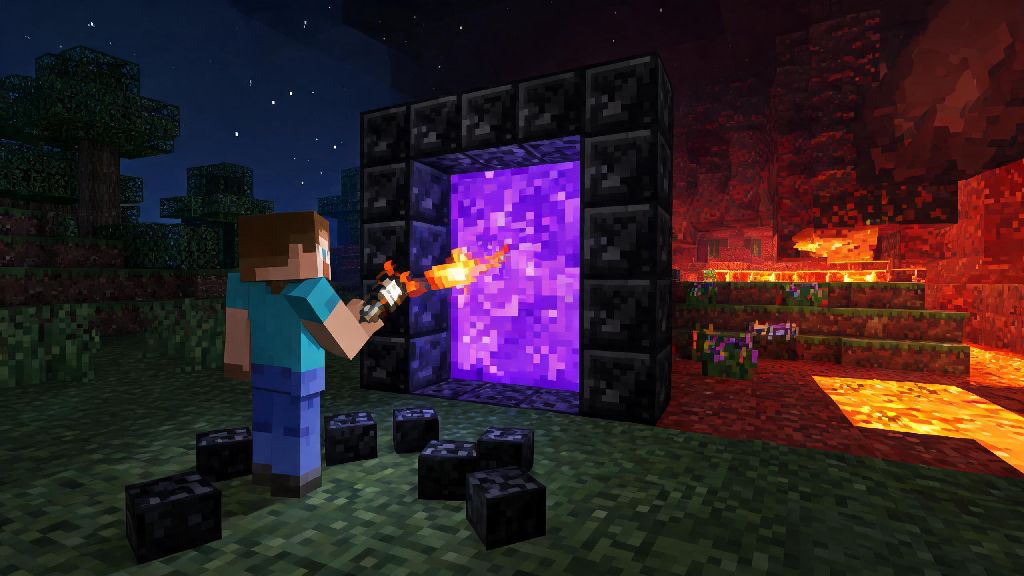
Building a basic Nether portal for vanilla survival is simpler than most people think, even if you’re early in your playthrough. You only need 10 blocks of obsidian and a flint and steel or fire charge to get it working, and you don’t even need to fill in the four corner blocks if you’re short on obsidian. The frame needs to be a 4-block wide by 5-block tall rectangle, with the inner 2x3 space empty for the portal purple liquid to form.
Once you light the inner space with flint and steel, the portal will activate instantly. If you want it to link to a specific spot in the Nether, divide your Overworld X and Z coordinates by 8 before building your portal, and build the matching portal in the Nether at those new coordinates. The 2026 update fixed the old glitch that made portals spawn in random cave systems, so your linked portals will work as expected 99% of the time as long as you get the coordinates right.
For End portals, you don’t build the frame yourself, you’ll need to find a stronghold first and fill the 12 frame blocks with Eyes of Ender to activate it. Make sure you have at least 12 Eyes of Ender before you head to a stronghold, though some frames may already have 1 or 2 filled in when you find them.
Custom Creative Mode Portal Designs You Can Try in 2026
Portals don’t have to be boring obsidian rectangles if you’re playing in creative mode, or if you have extra resources to spend in survival. You can customize the frame to match your base’s theme, or even build hidden portals that other players won’t notice at first glance. You can use all the new blocks added in the latest patch, per the 2026 Minecraft official block update notes, to make your portal stand out without sacrificing functionality.
Hidden portal designs are one of the biggest trends for multiplayer servers in 2026, since they let you keep your Nether or End access private from griefers. Some of the most popular creative and survival-friendly portal design trends this year include:
If you’re building a decorative portal that doesn’t need to warp anywhere, you can replace the inner purple portal liquid with tinted glass or sea lanterns for a similar glowing effect without the risk of accidentally warping when you walk past it. Just make sure you don’t light the frame if you don’t want it to activate as a functional portal.
Common Portal Building Mistakes to Avoid in 2026
Even with the 2026 bug fixes, there are still a handful of mistakes that new players make all the time when building portals. The most common one is building two portals within 128 blocks of each other in the Overworld, because they will almost always link to the same spot in the Nether. If you want multiple separate portals, space them at least 150 blocks apart in the Overworld to avoid overlapping links.
Never build a portal within 10 blocks of a sculk shrieker, either. The 2026 update added new sound detection rules that make portal activation noises trigger sculk shriekers, which means you could spawn a Warden right next to your base without warning if you build too close to a Deep Dark biome. It’s also a good idea to build a 3-block wide safety platform around any portal you build in the Nether, so you don’t spawn right over a lava lake when you warp through.
If you play on a public multiplayer server, always check the server rules before building a public portal. Many servers ban unprotected public portals because griefers can use them to lead hostile mobs to other players’ bases, or leave traps right on the other side of the portal to kill unsuspecting players.
Modded Minecraft Portal Builds for 2026 Mod Packs
If you play modded Minecraft, you’ve probably run into custom portals for dimensions like the Twilight Forest, the Aether, or mod-specific planets in space-themed packs. Most popular 2026 mod packs like All the Mods 11 and Create: Astral updated their portal recipes this year, so old pre-2025 tutorials for those portals may not work anymore. Always check the in-game mod guide for the exact recipe for the portal you want to build, since recipes can vary even between different versions of the same mod pack.
Some modded portals don’t use obsidian or flint and steel at all. For example, the 2026 version of the Twilight Forest mod requires you to build a 2x2 pool of water surrounded by 8 flowers, then throw a diamond into the water to activate the portal. The Create mod’s Nether portal alternative lets you build a portal out of brass casing that automatically links to other Create portals without coordinate calculations, which is perfect for large survival bases with multiple warp points.
Always test modded portals in a creative test world first before building them in your main survival playthrough. Some modded portals have unexpected side effects, like spawning hostile mobs when activated, or deleting nearby blocks if they’re built too close to other modded machinery. Testing first saves you from losing hours of hard work on a modded base.
At the end of the day, figuring out how do you make Minecraft portals is one of the most rewarding parts of playing the game in 2026, whether you're trying to reach the Nether for blaze rods, build a hidden base in the End, or just make a cool decorative feature for your creative world. Don't get discouraged if your first portal doesn't link correctly or looks a little plain; even experienced builders mess up portal coordinates every once in a while. Try out the tips and designs we covered here, and you'll be warping across your world in no time.