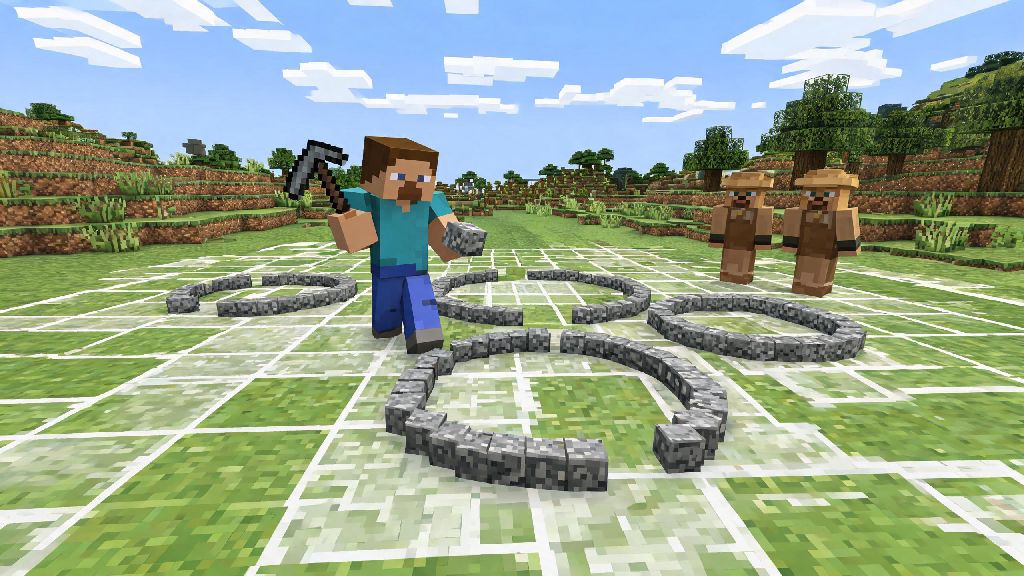
If you’ve ever tried to build a lighthouse, castle tower, or even a simple fountain in Minecraft, you’ve probably run into the same frustration every new builder faces: the game’s blocky grid makes rounded shapes feel impossible. I spent my first three years of building sticking exclusively to square and rectangular bases before I finally figured out a simple, repeatable system for smooth circles, no mods or external tools required. Today we’re breaking down exactly how to make a circle in Minecraft, no matter what size you’re working on or what game mode you play in.
How to Make a Circle in Minecraft Using the Grid Count Method
This is the method I use for 90% of my circular builds, and it requires zero external tools, mods, or even fancy math knowledge. It works for every size of circle, from small 5-block wide campfire rings to massive 100-block wide arena floors, and you can adjust it to get the exact level of smoothness you want for your build style.
Start by picking your circle’s radius — that’s the number of blocks from the center point to the edge of the circle. For example, a 10-block radius circle will be 21 blocks wide total, since you count the center block plus 10 on each side. Pick a radius that fits the build you’re planning: 2-3 blocks for small decorative features, 5-10 for towers or fountains, and 20+ for large builds like castles or arenas.
If you’re worried about getting the shift count right, you can test small circles first in a creative flat world to get a feel for how the edges should look. I usually practice on 10-block radius circles first when I’m coming back to building after a break, since they’re big enough to see the shape clearly but small enough to fix quickly if I mess up. This method works for circles as small as 5 blocks wide and as large as 100+ blocks wide, so it’s flexible for almost every build. For hollow circles, you only need to build the outer edge, and you can leave the inside empty for whatever you want to put there.
Tips for Adjusting Circles for Survival Mode Builds
So you’re playing survival and don’t have infinite blocks to test shapes with? I’ve been there, and I’ve wasted stacks of cobblestone trying to fix lopsided circles mid-build more times than I can count. There are a few small tweaks you can make to the grid count method to save resources and time when you’re playing without creative mode’s infinite inventory.
Use cheap placeholder blocks first before you use your rare deepslate bricks or quartz for the final build. Dirt, cobblestone, or even netherrack work great for marking out the shape first, since you can break them quickly without wasting tools. Once you’re happy with the shape, you can replace the placeholder blocks one by one with your final building material, no risk of wasting rare resources on a messed up shape.
Another survival-specific tip: if you’re building a circle high up, like a sky base, place scaffolding first to mark the outer edge so you don’t fall off while you’re building. Scaffolding is cheap to make with bamboo and string, and you can break it all down once you’re done with the shape to reuse for other builds. If you don’t have bamboo, ladders or temporary dirt blocks work too, they just take a little longer to break. If you’re building a tower, you can extend the circle upward by copying the same layer over and over, or taper it slightly for a domed roof without any extra counting.
Common Circle Building Mistakes to Avoid
Even experienced builders mess up circles sometimes, but most mistakes are easy to avoid once you know what to look for. I’ve made every single one of these mistakes at least twice, so you don’t have to waste time fixing the same errors I did.
Don’t forget to account for the center block when calculating your total width. I can’t tell you how many times I planned a 20-block wide circle, only to realize I’d forgotten the center block and ended up with a 19-block wide oval instead. Always add 1 to double your radius to get the total width, so a 10-block radius is 21 blocks wide, not 20. That one small mistake saves hours of reworking edges later.
Next, don’t use the same shift count for small and large circles. For circles under 15 blocks wide, shifting one block inward every one block along the radius will give you a smoother shape, while circles over 30 blocks wide look better if you shift one block inward every two blocks, to avoid jagged edges. Another mistake: not checking symmetry from all angles. If you’re building in creative mode, fly up above your circle and look down to make sure all four quadrants match. It’s way easier to fix a few out of place blocks before you fill in the whole thing.
One more mistake I see all the time: trying to make a circle that’s too small. Any circle under 5 blocks wide will basically look like a square, so if you need a really small rounded shape, consider using slabs or stairs on the corners to make it look more rounded without expanding the size. Stairs are also great for softening the edges of larger circles if you want a smoother look without making the circle bigger.
Creative Uses for Circles in Your Minecraft Worlds
Once you master the grid count method, you’ll start noticing opportunities to use circles everywhere in your builds, not just for towers and fountains. Rounded shapes add so much personality to your world, and they make your builds stand out from the thousands of square bases you see on most multiplayer servers.
For example, you can build a circular animal pen that looks way more natural than a square one, and it’s easier to herd animals into without them getting stuck in corners. You can also make a circular Nether portal frame for a dramatic base entrance, or a circular crop farm that lets you reach every plant from a central water source, so you don’t have to walk back and forth across a huge square field to harvest crops. Circles are also perfect for building custom tree canopies — instead of the default square oak tree tops, make a layered circular canopy for a more realistic, lush look that makes your forest feel way more immersive.
If you’re playing on a multiplayer server, circular arenas for PvP or minigames are always a hit, since there are no corners for players to hide in, so fights feel fairer and more dynamic. You can even stack circles of decreasing size to make a custom dome for a library or a greenhouse, which looks way more unique than the standard flat roof most players use. If you’re into redstone, you can build a circular hidden base entrance using a piston system that opens and closes the circle’s edge, which is way cooler than a standard square hidden door. I built one of these for my survival base last year, and my friends still have no idea how to get in even after I’ve shown them the lever to activate it.
At the end of the day, building circles in Minecraft is all about practice, not perfection. Even if your first few attempts look a little lumpy, you’ll get the hang of the grid count method after 2 or 3 tries, and you’ll wonder how you ever built anything without rounded shapes. Don’t be afraid to tweak the basic method to fit your build style either — some builders prefer slightly blockier circles for rustic builds, while others go for the smoothest possible edges for modern cities. Next time you’re planning a new build, skip the boring square base and try out the steps we covered for how to make a circle in Minecraft, you’ll be shocked at how much it elevates your entire world.