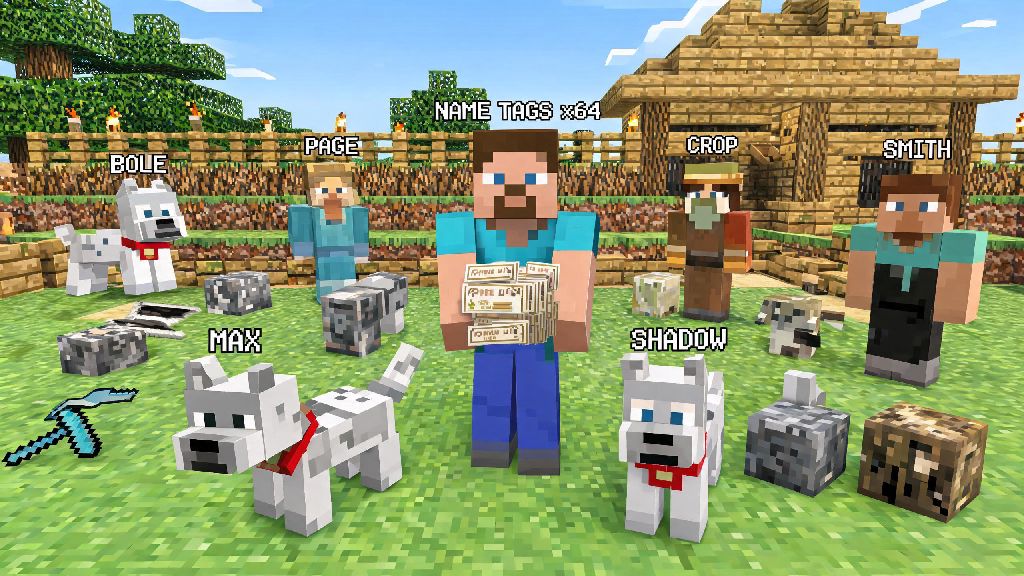
Ever wandered back to your base after a long mining trip only to realize you can’t tell your tamed wolf apart from the random strays hanging around your fence line? Or spent hours building a custom NPC village only to have all the villagers look identical? Knowing how to make a name tag in Minecraft solves all those small, annoying problems, and opens up a ton of fun creative opportunities too. This guide walks you through every method, from vanilla crafting workarounds to survival mode hacks, so you can start labeling your world exactly how you want.
How to Make a Name Tag in Minecraft: Core Vanilla Methods
Unlike most common items in Minecraft, you can’t craft name tags directly with a standard crafting table in vanilla, unmodded versions of the game. That doesn’t mean they’re hard to get though, and there are three reliable ways to get as many name tags as you need for your builds. If you’re wondering how to make a name tag in Minecraft without exploring dangerous structures, trading is by far the safest option, especially if you’ve already secured a village near your base.
For early game players, fishing is usually the easiest method, even if it takes a little patience. You can fish while you wait for your wheat crops to grow or your iron ore to smelt, so it doesn’t take time away from other survival tasks. If you’re playing on a modded server, check your server’s custom recipe list first, as many servers add a simple name tag crafting recipe for 1 paper, 1 string, and 1 ink sac to make them easier to access.
Creative Ways to Use Name Tags Once You’ve Made Them
Name tags are way more versatile than most new players realize, and they come with a bunch of hidden easter eggs you can test out. The most basic use is renaming tamed mobs like wolves, cats, horses, and parrots so you can tell them apart, and naming a mob also prevents it from despawning, even if you wander thousands of blocks away from your base. You can also rename items like your favorite pickaxe or sword to make them easier to spot in a messy chest, or add a silly inside joke to an item you give to a friend on a multiplayer server.
There are also tons of fun secret effects you can unlock with specific names. Naming a sheep "jeb_" will make its wool cycle through every color in the game, naming a rabbit "Toast" gives it a special black and white spotted skin, and naming a vindicator "Johnny" will make it attack every other mob it sees, including other hostile mobs. You can even name a creeper after your least favorite mob to make it look like they’re following you around, or name a zombie villager after a friend who keeps forgetting to bring food on mining trips.
If you’re playing on a multiplayer server, name tags are also a great way to pull small pranks on your friends. You can rename a creeper after your friend who always steals your diamonds, then leave it outside their base for a silly surprise when they log on. If you need a break from pranking and building between long Minecraft sessions, casual players often turn to low-stakes, quick round games to unwind, and Rummy Ludo is a popular pick for short 10 minute breaks that don’t require you to fully step away from your desk. Once you’re recharged, you can get back to testing all the fun name tag easter eggs you haven’t tried yet.
If you’re building a custom map or adventure world for your friends, name tags are an essential tool for making custom NPCs. You can name villagers to give them specific roles like "Blacksmith" or "Baker", or rename hostile mobs to make custom boss fights for your friends to beat. Many adventure map creators also use name tags to add lore to their worlds, by renaming items you find in chests to give clues about the world’s backstory.
Common Name Tag Mistakes to Avoid
Even if you know how to make a name tag in Minecraft, it’s easy to make small mistakes that waste your hard-earned tags, especially if you’re a new player. Most of these mistakes are easy to avoid once you know what to look for, so keep these tips in mind next time you pull out a name tag.
You have to use an anvil to rename the name tag first before you use it on a mob or item. A lot of new players try to right click a mob with a blank name tag and get confused when nothing happens. You need to put the name tag in the first slot of an anvil, type the name you want in the text box, then take the renamed name tag out of the output slot, it only costs 1 experience level to rename a blank name tag, so it's super cheap even for early game players. You can also rename already named name tags if you make a typo, but that will cost a little extra experience.
Name tags don’t work on the Ender Dragon or Wither, so don't waste your rare name tags trying to rename boss mobs, they'll just ignore the interaction. You also can’t use name tags on other players on most servers, though some custom server plugins add that feature if you want to give your friends silly nicknames above their heads. If you want to rename a player, you’ll usually have to use a server command or plugin instead of a standard name tag.
Renaming a name tag with curse words or offensive language can get you banned from public multiplayer servers, so always stick to friendly, appropriate names if you're playing on a server with other people you don't know. Most servers have chat filters that also apply to name tag text, so even if you think it’s a harmless joke, it could get you temporarily or permanently banned if it violates the server’s rules. If you’re playing on a private server with your friends, you can get away with more silly names, but always check with your server owner first.
Another common mistake is naming hostile mobs and leaving them near your base. Named hostile mobs won’t despawn, so you could end up with a creeper or zombie hanging around your front door permanently if you’re not careful, and it will still attack you whenever you come near. If you want to keep a hostile mob as a "pet", make sure you keep it in a locked pen where it can’t escape and hurt you or your friends.
Modded and Server-Specific Name Tag Tips
If you’re playing on a modded Minecraft server, there are tons of extra features you can use with name tags that aren’t available in vanilla. Many popular mods like Quark and Supplementaries add colored name tags, so you can color code your pets or storage chests to make them easier to tell apart. Other mods add name tags that show a mob’s health bar above their head, or let you add custom lore text to items that shows up when you hover over them in your inventory.
Some public servers also add custom name tag crafting recipes so you don’t have to spend hours fishing or trading for them. Most custom recipes use simple, easy to find materials like paper, string, and ink sacs, so you can make name tags as soon as you have a crafting table in early survival. Always check your server’s wiki or guide page first to see if they have custom name tag features, so you don’t waste time looking for them in chests when you could just craft them.
If you’re running a small private server for your friends, adding custom name tag rewards for completing in-game challenges is a great way to keep players engaged. You can give out special name tags that let players rename their bases or claim custom NPCs as rewards for beating the Ender Dragon, building a community farm, or finding a hidden secret on the server. Many server owners also use custom name tags as donor perks, so players who support the server can get special colored name tags above their character or custom name tags for their pets.
Some servers also have plugins that let you use name tags to rename chests, barrels, and shulker boxes without having to put up signs. This is a huge quality of life improvement if you’ve got a large storage system with hundreds of chests, because you don’t have to clutter up your storage room with dozens of signs, and the name will show up when you hover over the chest with your cursor. Some plugins even let you lock chests with named name tags, so only you can open chests you’ve tagged with your own name.
At the end of the day, learning how to make a name tag in Minecraft is a small skill that makes a huge difference to how much you enjoy your world, whether you're playing survival alone or creative with a big group of friends. You don't need any rare materials or late game gear to get your first name tag, just a little patience fishing, a few emeralds for a librarian, or a quick trip to a nearby dungeon. Try out some of the fun easter eggs, label your favorite pets, or pull a silly prank on your friends next time you log on, you'll be surprised how much use you get out of such a simple item.