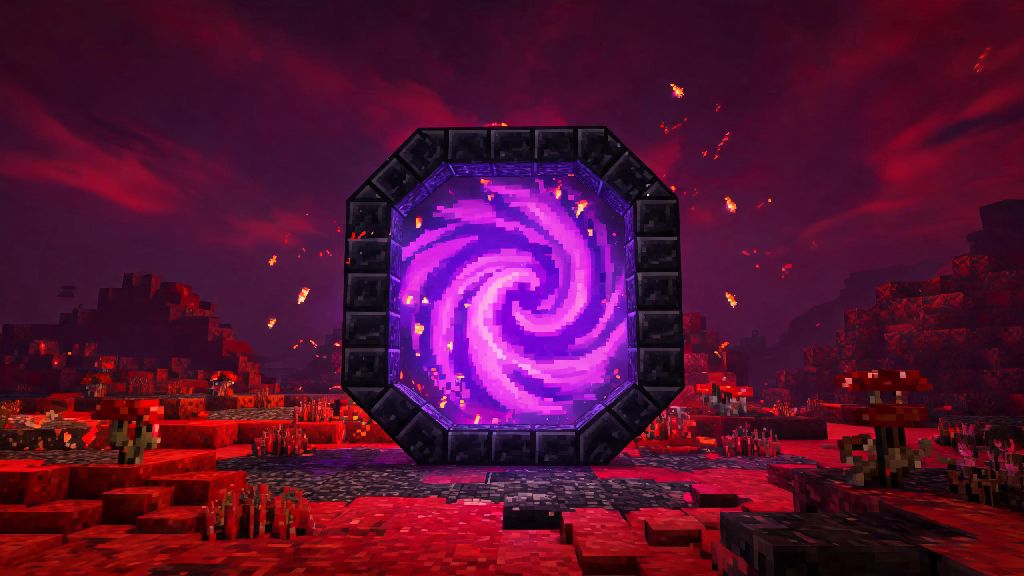
If you’ve ever spent hours trekking across thousands of blocks to find a Nether fortress or stronghold, you know portals are the single most useful build in all of Minecraft. They cut travel time by 800% in the Nether, let you reach the final boss fight, and can even be part of hidden base designs for SMP servers. New players often get tripped up by frame size requirements or material rules, but you don’t need fancy mods or cheats to build a fully functional portal. This guide breaks down everything you need to know to build safe, reliable portals for every play style, no matter if you’re on Java, Bedrock, or console editions.
How to Make a Portal in Minecraft: Nether Portal Basics
The Nether portal is the first portal most players build in survival mode, and it unlocks access to netherite, blaze rods, quartz, and other critical late-game resources. You only need two core materials to build one, but there are small tricks to save resources if you’re still early in your playthrough. First, you’ll need obsidian, which forms when flowing water touches a source block of lava. You can only mine obsidian with a diamond or netherite pickaxe—any other tool will break the block without dropping it, so don’t waste your time trying with iron or stone.
The standard Nether portal uses a minimum 4x5 block frame, but you can make it larger up to 23x23 blocks if you want a bigger entryway for horses, minecarts, or even villagers. Many new players don’t know you can skip the four corner blocks of the frame to save 4 obsidian, which is a huge help if you only have a small lava lake near your base. Follow these simple steps to build your first Nether portal:
One quick safety tip: always build your first overworld portal at least 10 blocks away from any flammable blocks, and make sure you have a spare flint and steel with you when you step through. It’s not uncommon for new players to spawn next to a ghast in the Nether that blows out their portal, leaving them stranded if they don’t have a way to relight it.
Building an End Portal: Requirements and Placement Tips
End portals work differently than Nether portals, as you can’t craft their frame blocks in survival mode. You’ll have to find a stronghold first using Eyes of Ender, which you craft from blaze powder and ender pearls. Most strongholds have a partially built End portal room, with 12 frame blocks arranged in a 3x3 square with an empty center. Each frame block has a 10% chance of spawning with an Eye of Ender already inserted, so you’ll usually need to bring 10 to 12 Eyes with you to activate it.
The most common mistake players make when activating an End portal is placing the Eyes of Ender from the wrong angle. All 12 frame blocks have to face inward toward the center of the portal to work, so the easiest way to get the placement right is to stand in the middle of the empty 3x3 space when you insert each eye. If you’re playing in creative mode, you can place End portal frames yourself, but the same inward-facing rule applies. Once all 12 eyes are inserted correctly, the center of the frame will fill with a black, starry portal texture that takes you to the End dimension to fight the Ender Dragon.
If you’re building an End portal for a creative build, you can also extend the frame with decorative blocks like end stone bricks or purpur to make it feel more immersive, just don’t block the empty center space. You can even build a small viewing platform around it so other players on your server can watch the first person to jump through fight the dragon.
Common Portal Building Mistakes to Avoid
Even veteran players make silly portal mistakes from time to time, especially when they’re rushing to get to the Nether for a resource run. The most common error is trying to mine obsidian with a tool that’s not diamond or netherite—you’ll spend 10 seconds breaking the block only to have nothing drop, which is a huge waste of time. Another common mistake is lighting the outside of the Nether portal frame instead of the inner empty space, which will just start a fire on the obsidian that won’t activate the portal.
If you keep running into the same mistake over and over, like forgetting to light the inside of the frame or misaligning End portal eyes, step away for 60 seconds to reset. A lot of players I play SMP with take quick, low-stakes breaks between troubleshooting runs to avoid frustration, and many reach for Spin Winner for short, fun rounds that don’t pull them away from their build for too long. Once you’re recharged, you’ll spot your mistake faster than if you stare at the same broken frame for 10 minutes straight.
For Nether portals, another big mistake is not calculating portal links correctly. Every 1 block you travel in the Nether equals 8 blocks in the overworld, so if you build a portal 1000 blocks away from your base in the Nether, it will spawn 8000 blocks away from your base in the overworld. If you want to link two specific portals, write down their coordinates in both dimensions to make sure they line up correctly, especially if you’re building a fast travel network for your base. In hardcore mode worlds, always test portal links with a spare item first before you step through, so you don’t accidentally spawn in a lava lake and lose your entire world.
Advanced Portal Customization for Creative and Survival Builds
Once you master the basics of building functional portals, you can start customizing them to fit your base design or server needs. In survival mode, a fast travel network of linked Nether portals is the best way to get between your base, mine, farm, and other points of interest without spending hours walking or flying. You can even hide portals behind secret doors or under floors so other players on your SMP server can’t access your private travel routes.
In creative mode, the sky’s the limit for portal designs. You can build giant 23x23 Nether portals as grand entryways to themed Nether builds, or hide small portals inside furniture like bookshelves or wardrobes for hidden base features. Crying obsidian is a popular decorative block for portal frames, but keep in mind it won’t work as part of a functional Nether portal—you still need regular obsidian for the actual frame, but you can use crying obsidian as a border around it for a cool, glowing effect.
If you’re building a portal hub for a public server, add signs next to each portal listing where it leads, and build a small safe area around the Nether side of each portal so new players don’t get attacked by mobs as soon as they spawn. You can also add barrier blocks around the portal frame to prevent griefers from breaking it or lighting it on fire. Just make sure you don’t block the entryway, or players won’t be able to step through.
Now you have all the info you need to build functional, safe portals for every part of your Minecraft playthrough. Whether you’re building your first Nether portal to get netherite or a custom End portal for a creative roleplay build, the core steps stay the same across all game editions. Don’t get discouraged if your first portal doesn’t work right away—even the most experienced players mess up frame alignment from time to time. Once you get the hang of it, you’ll wonder how you ever played without knowing how to make a portal in Minecraft to cut down your travel time and access every dimension the game has to offer.