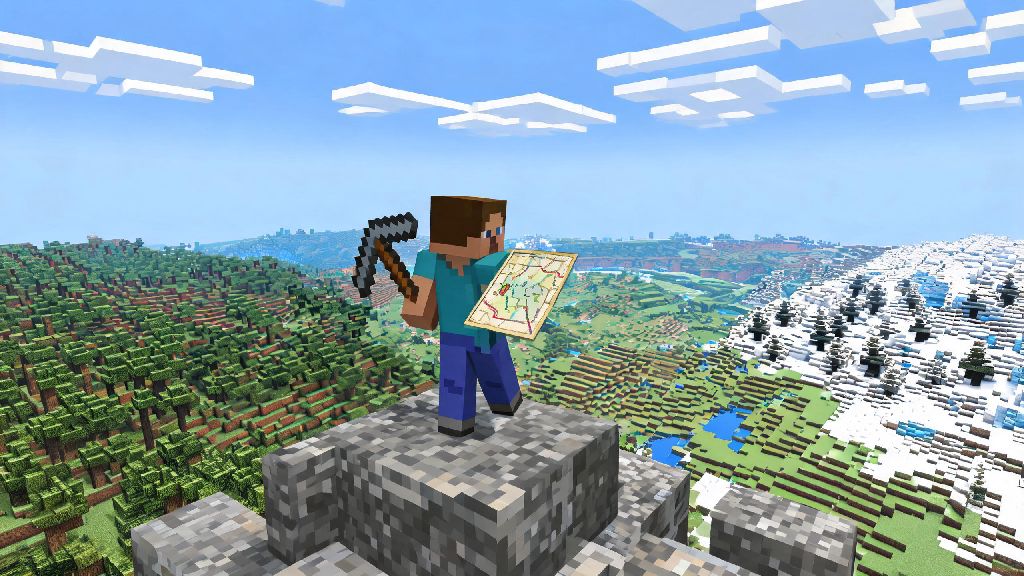
If you’ve spent hours trekking through endless forests or frozen tundras in your 2026 Minecraft survival world with zero sign of a village, you’re not alone. I’ve been there too, wandering for 3 in-game days straight just looking for a single librarian to trade for mending books, and it’s so frustrating when you keep running into nothing but creeper holes and empty caves. That’s why we put together this no-fluff guide answering how can i find villages in Minecraft, with options for both vanilla survival players and people who don’t mind using cheats to skip the grind.
Best Vanilla Methods to Find Villages Without Cheats in 2026
First, let's cover the methods you can use if you’re playing a legit survival run with no commands enabled, which is how 70% of Minecraft players I know prefer to play in 2026. The first trick is to climb to the highest point nearby as soon as you spawn or when you start your search. Villages generate with structures that stick out way above most terrain, especially the tall church towers in plains villages or the colorful tents in savanna settlements. You don’t need fancy gear for this, just a stack of dirt blocks to stack up if there’s no natural hill nearby.
Next, follow rivers and open terrain instead of trekking through dense forests or dark oak biomes. Villages almost never generate under tree cover, so sticking to plains, deserts, savannas, taigas, and snowy tundras cuts your search time by 60% at least. If you’re playing in a snowy biome, look for smoke coming from village chimneys – it stands out against the white snow really well, even from long distances. I’ve spotted snowy tundra villages from over 150 blocks away just by looking for thin plumes of smoke rising over the hills.
Another underrated trick I picked up from 2026 Minecraft speedrun communities is to look for village paths first. These dirt or gravel paths generate leading into villages from up to 50 blocks away, so if you spot a random gravel path cutting through grass, follow it, it almost always leads to a settlement. You can even follow paths that are half broken or covered in grass, as they’re still leftover from village generation.
How Can I Find Villages in Minecraft Using Creative Mode and Commands?
If you’re playing in creative mode, running a custom server, or just don’t care about using cheats in your single player world, there are way faster ways to track down villages in 2026 Minecraft. The easiest command for Java Edition is /locate structure minecraft:village_[biome], where you replace the biome with the type you’re looking for, like plains or desert. The game will immediately give you the exact coordinates of the nearest village of that type, and you can click the coordinates to teleport straight there.
For Bedrock Edition, the command is even simpler: just type /locate village and you’ll get your result right away. Make sure you have cheats enabled in your world settings before you try these commands, otherwise they won’t work at all. If you’re playing on a multiplayer server, you’ll need to have operator permissions to run locate commands, or ask your server admin to run one for you if you’re stuck.
If you don’t want to use commands but are playing in creative, you can just fly up high and scan the horizon for 2-3 minutes – you’ll almost always spot at least one village within a few thousand blocks of spawn. It’s way faster than walking, and you don’t have to worry about mobs attacking you while you search. I use this trick all the time when I’m testing new build designs in creative mode, because it saves me the hassle of wandering for 10 minutes just to find a village to modify.
Key Biome and Spawn Rules to Speed Up Your Village Search in 2026
A lot of new players don’t realize that villages only spawn in specific biomes, so wandering through jungles or deep dark biomes is just a waste of time if you’re looking for a settlement. As of the 2026 latest Minecraft update, villages generate in 7 core biomes, each with their own unique building style and villager trades. Plains villages are the most common, so if you’re just looking for any village fast, head for the nearest large plains biome you can find. They have plenty of farms, hay bales, and often multiple librarians and blacksmiths with great loot.
Savanna villages are the easiest to spot from far away, thanks to their bright orange acacia wood roofs and tall, open structures. They’re also great for finding farmer villagers who sell golden carrots at low prices, which are perfect for early game food and breeding horses. Taiga villages are great if you’re looking for fletchers who sell arrows for cheap, which is perfect if you prefer using a bow as your main weapon. Snowy villages have lots of spruce wood and often have shepherd villagers who trade wool for emeralds, which is great if you’re building a colorful base and need lots of dye.
Don’t waste your time searching in biomes with high elevation or dense tree cover, like jagged peaks, dark forests, or jungles. Villages can’t generate in these areas, even if you have a super large world seed. I learned this the hard way back in early 2026, when I spent two hours trekking through a giant dark oak forest just to find nothing at the other side. Save yourself the trouble and stick to the 7 core spawn biomes for all your village searches.
What to Do First Once You Find a Village in 2026 Minecraft
Okay, so you’ve tracked down a village – what now? Don’t just run in looting everything right away, that’s a common mistake that can leave you with no trades later on. First, light up every corner of the village immediately to stop zombies from spawning and killing villagers at night. If all the villagers die, the village will stop generating iron golems and new trades, so protecting them is your top priority. You can use torches, lanterns, or even glowstone if you have it, just make sure no dark spots are left anywhere near the village buildings.
Next, check the blacksmith chest first – it almost always has useful loot like iron ingots, armor, even diamonds or obsidian in some cases. I once found a full diamond chestplate in a plains village blacksmith chest within my first hour of a new survival run last month, so it’s always worth checking first. If you plan on staying near the village long term, build a small wall around the perimeter to keep hostile mobs out and stop villagers from wandering off into dangerous areas. You don’t need anything fancy, just a two-block tall cobblestone wall works perfectly for most early game setups.
Also, take the time to trade with villagers as soon as you can, even if you only have a few wheat or coal to spare. Leveling up villagers early gives you access to much better trades later on, like mending books, enchanted tools, and even emerald blocks for cheap. If you accidentally hit a villager, don’t panic – just trade with them a few times to fix your reputation, otherwise the iron golems will attack you on sight. It’s a small mistake that a lot of new players make, and it’s easy to fix if you catch it early.
At the end of the day, figuring out how can i find villages in Minecraft doesn’t have to be a frustrating, time-consuming process if you know what to look for. Whether you’re playing a legit survival run, messing around in creative, or playing with friends on a multiplayer server, these 2026 tips will help you track down settlements faster than ever before. Don’t be afraid to test out different methods to see what works best for your playstyle – some players love the challenge of searching vanilla, others prefer using commands to skip the grind. Either way, once you find your first village, you’ll have access to unlimited trades, great loot, and a perfect spot to set up your permanent base.